Coins and rewards you pick
Every chore you tick in Choru pays 1 to 3 coins. You write the rewards and set their prices, then spend the coins on them. Nothing is preset, so "an hour of screen time" or "a night off" costs exactly what you decide.
 Choru is an iPhone appPoint your iPhone camera at the code to install it.
or text me the link
What coins and rewards do
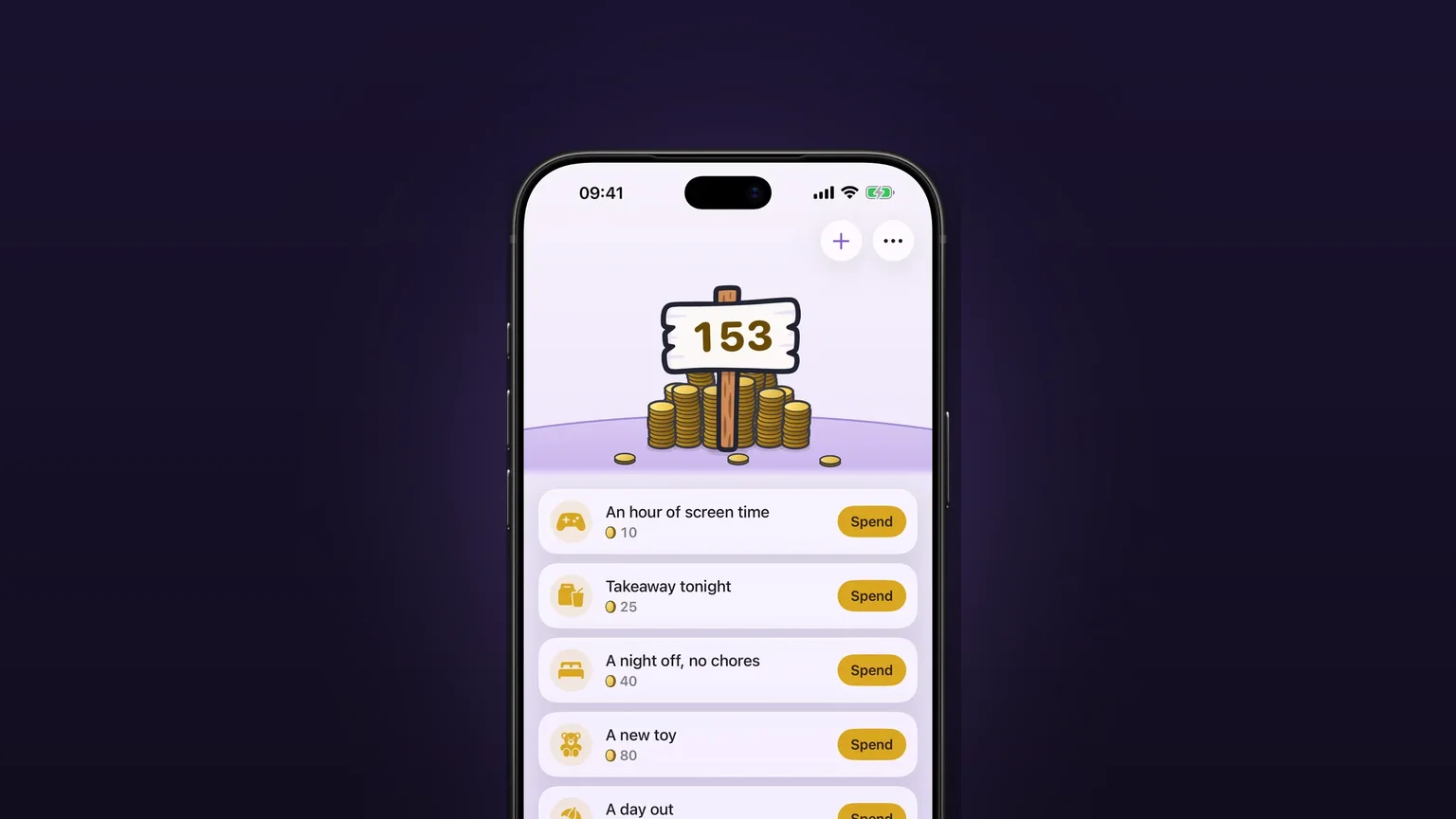
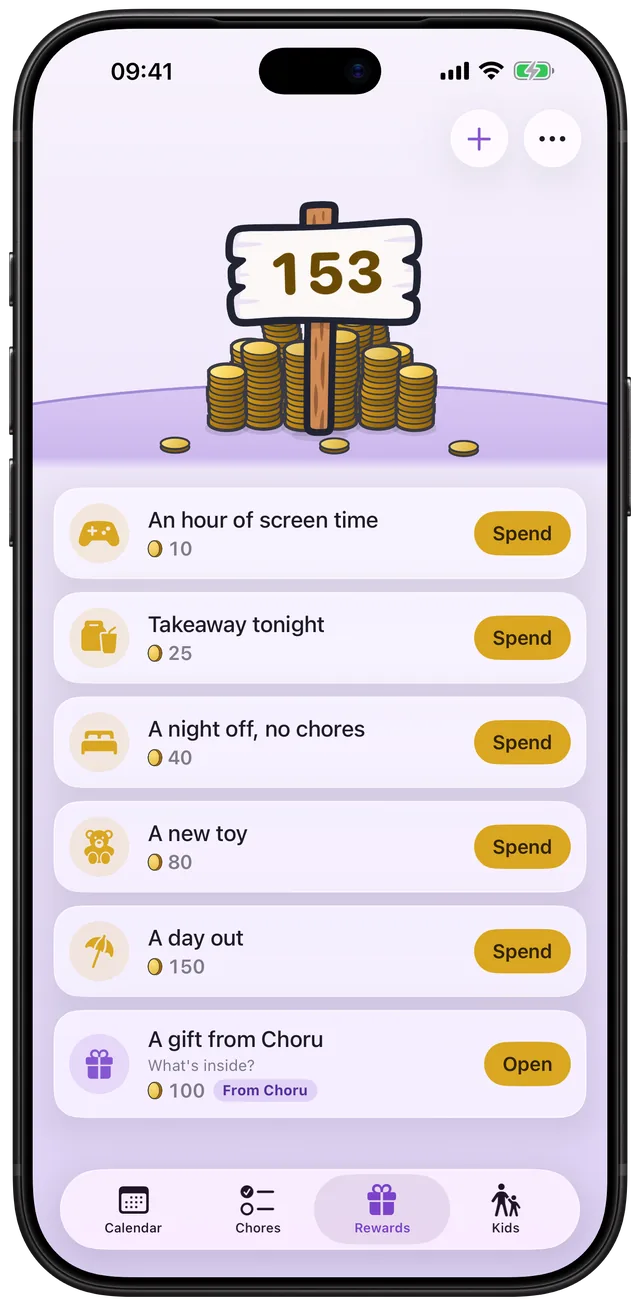
Each chore has a coin value of 1, 2 or 3. When you tick it off, that many coins go into your balance. The Rewards tab shows the balance and your list of rewards, each with a name, an icon and a price. When the balance covers a price, tap Spend. The coins fly out of the pile, the card lights up, and the reward shows as claimed until a grown-up marks it used. Coins are a tally inside the app, not money.
The Clock app and Screen Time do different jobs. Clock rings at a time you set. Apple's Screen Time lets a parent set schedules and time allowances for a child's apps (see the limits), but it has no idea whether the dishes got done. Choru links the work to the prize: chores earn coins, coins buy the rewards you wrote. It does not lock or unlock anything on the phone, so the reward is a deal your household keeps.
How to set it up, step by step
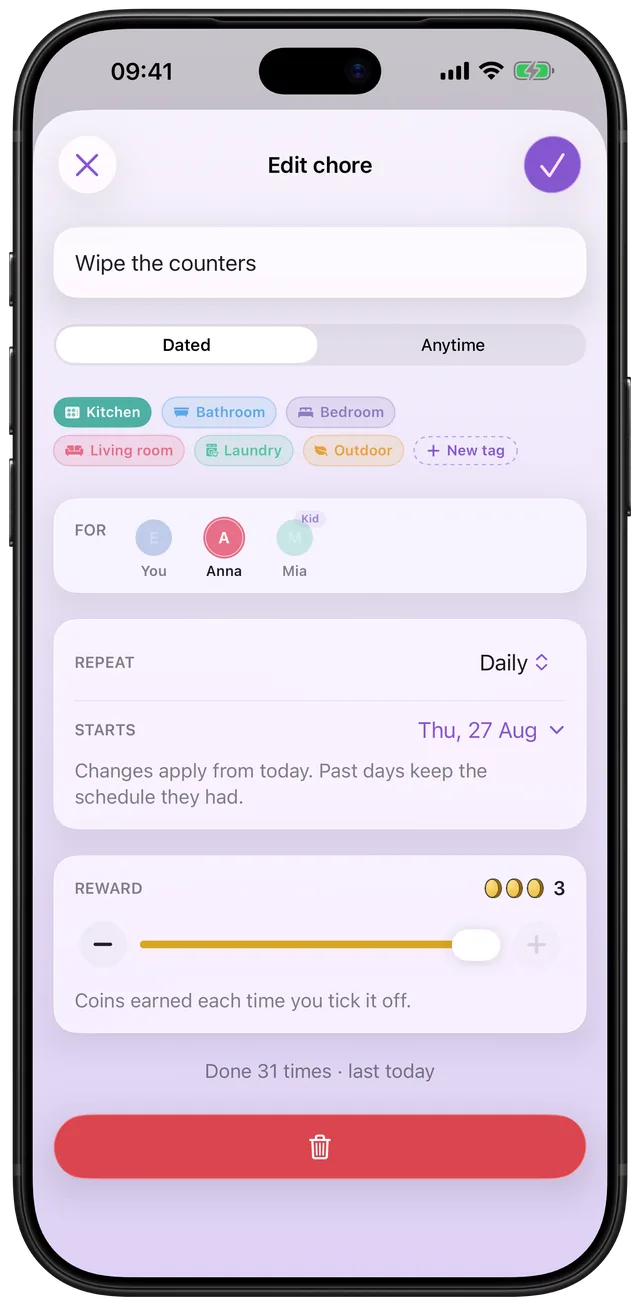
- Open a chore (tap its row, or tap + for a new one). In the Reward card, drag the slider or tap the minus and plus buttons to pick 1, 2 or 3 coins. The caption reads "Coins earned each time you tick it off."
- Tap the check mark to save. Ticking the chore now pays that many coins.
- Open the Rewards tab and tap + (Add reward).
- Type the reward, for example "An hour of screen time". Type its price in the Costs field. It takes digits only.
- Check the line under the price. It estimates how often you could earn this reward, such as "At the current pace this could be earned about every 8 days." Raise or lower the price until that feels right.
- Pick an icon from the grid and tap the check mark. The card appears in the list.
- When you can afford it, tap Spend. Later, a grown-up taps Mark used and confirms, and the reward can be claimed again.
Every option
| Setting | Choices | Where |
|---|---|---|
| Coins per chore | 1, 2 or 3 per tick | Edit chore, Reward card |
| Reward name | Any text | New reward |
| Reward price | Any whole number from 1 to 32,767 | New reward, Costs |
| Reward icon | One from a grid of symbols: games, food, toys, trips, sport, animals and more | New reward |
| Delete reward | Asks first. Coins from past spends on it come back | Edit reward |
| Spending history | A list of your spends | Rewards tab, bottom button |
Coins also come from other places. Anytime tasks pay the same way. A streak of days with every chore done adds a bonus at day 3 (5 coins), day 7 (10), day 14 (20) and every 30 days (50). When a chore is on several people's lists, everyone who helped takes its full price, not a share of it.
The balance is worked out from the ticks and the spends, never stored as a loose number. Un-tick a chore and its coins go with it. Re-price a reward later and past spends keep the price they had. The balance never shows below zero.
Below your own rewards, Choru offers up to two cards of its own, always labelled "From Choru": a gift box for 100 coins that holds two streak freezes, a streak freeze for 100 coins (you can hold two), and a mystery chest for 1,000 coins that unlocks a gold app icon.
When it fits
Kids who want screen time
Write "An hour of screen time" at 10 coins. A child ticks chores, watches the balance grow and spends it on their own. The chore chart with rewards guide covers how to choose prices.
A household with one big goal
A day out at 150 coins gives a family a shared target. Greyed-out rewards stay visible with a lock, so the goal stays in front of everyone.
Grown-ups rewarding themselves
Takeaway after a week of bins and laundry, or a night off with no chores. Adults have their own balance and rewards, so it works without any kids.
Splitting work fairly between partners
Give the heavy jobs 3 coins and the quick ones 1. The coins show who carried what. See how to split chores with a partner.
Kids on their own phones
In kid mode, a child can spend and claim. Adding or editing rewards and the coin slider are hidden, and only a grown-up can mark a reward used. See family sharing for the setup.
What it does not do
- No real enforcement. Choru has no Screen Time integration. Spending "an hour of screen time" records the claim. It does not unlock a game or change an app limit. Apple's Screen Time settings stay as you set them.
- No more than 3 coins per chore. The slider stops at 3 and cannot go lower than 1. A chore always pays something.
- No cash or payouts. Coins are a tally and cannot be converted to money.
- One claim at a time. A reward that is claimed and not yet marked used cannot be bought again.
- Needs a Choru plan. The app has no free tier at launch, so spending coins requires an active plan or a family member who holds one.
For missed days that affect the streak and its bonus, read missed chores carry over as one row.
Frequently asked questions
What is a good chore reward app for kids?
Look for one where you decide the rewards, not the app. In Choru, each chore pays 1 to 3 coins and you write rewards such as an hour of screen time, then price them. A child can spend the coins on their own phone.
Is there a free chore reward app?
Choru has no free version at launch. It uses a paid plan, and a family member's plan can cover the others in the same family. Check the App Store listing for current prices.
Can adults use a chore point system too?
Yes. Adults earn coins from their own chores and have their own rewards, like takeaway or a night off. Nothing in the coin system needs kids.
Can chores earn screen time automatically?
Not on the phone itself. Choru tracks the coins and the claimed reward, but it does not change Apple's Screen Time settings. A grown-up gives the time and marks the reward used.
How many coins does a chore pay?
You choose 1, 2 or 3 coins for each chore. Streak milestones add bonus coins, and Choru shows the balance on the Rewards tab.
What happens to my coins if I un-tick a chore?
The coins from that tick leave the balance. Choru works the balance out from ticks and spends, so it never drifts. If you had already spent those coins, the balance shows zero until new chores cover the gap, then climbs again.
Sources
Let chores earn the rewards you pick
Get Choru on the App StoreMore features
Anytime tasks that come back later
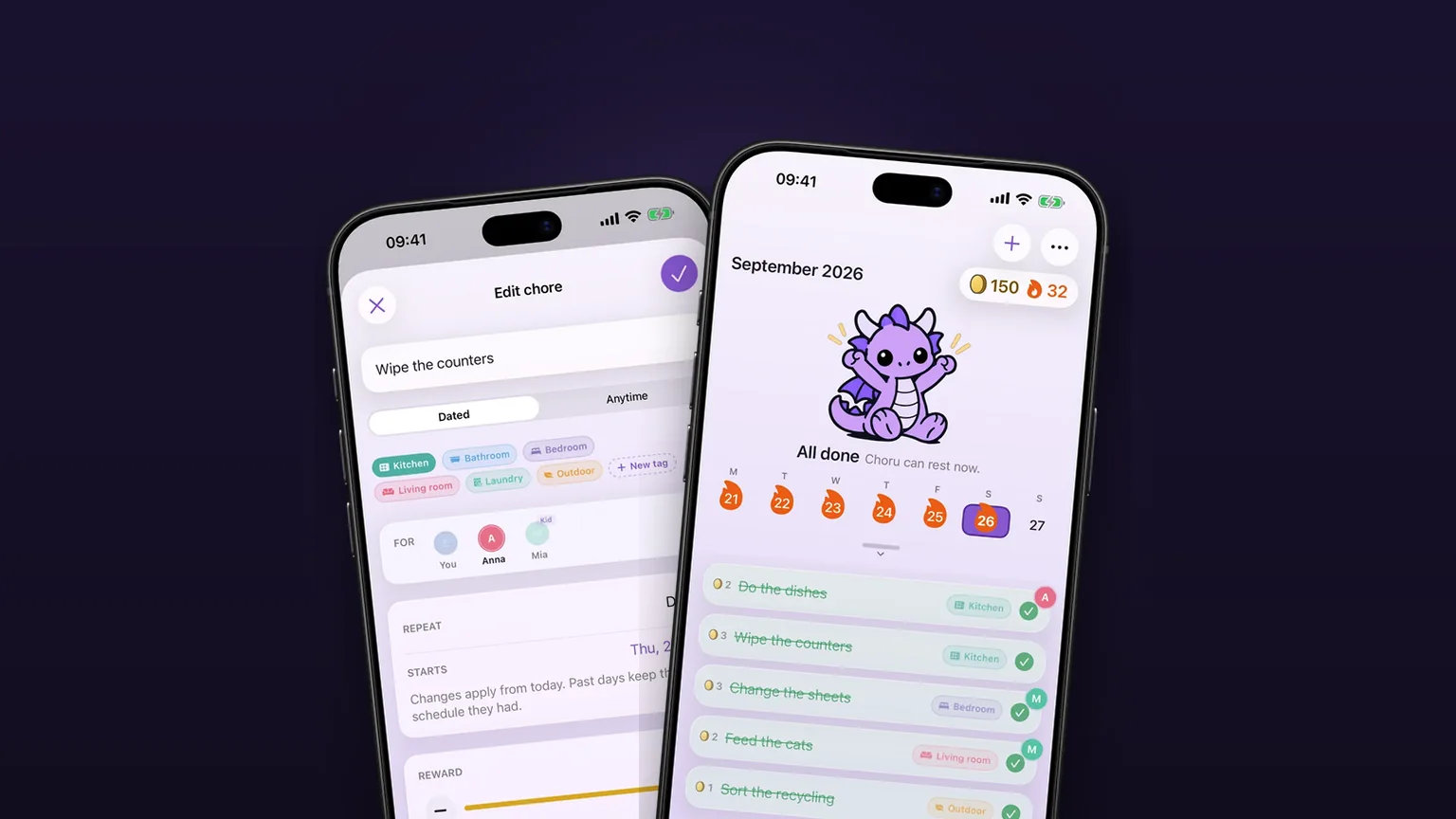
Jobs with no fixed date come back 1, 3, 6 or 12 months after you tick them off.
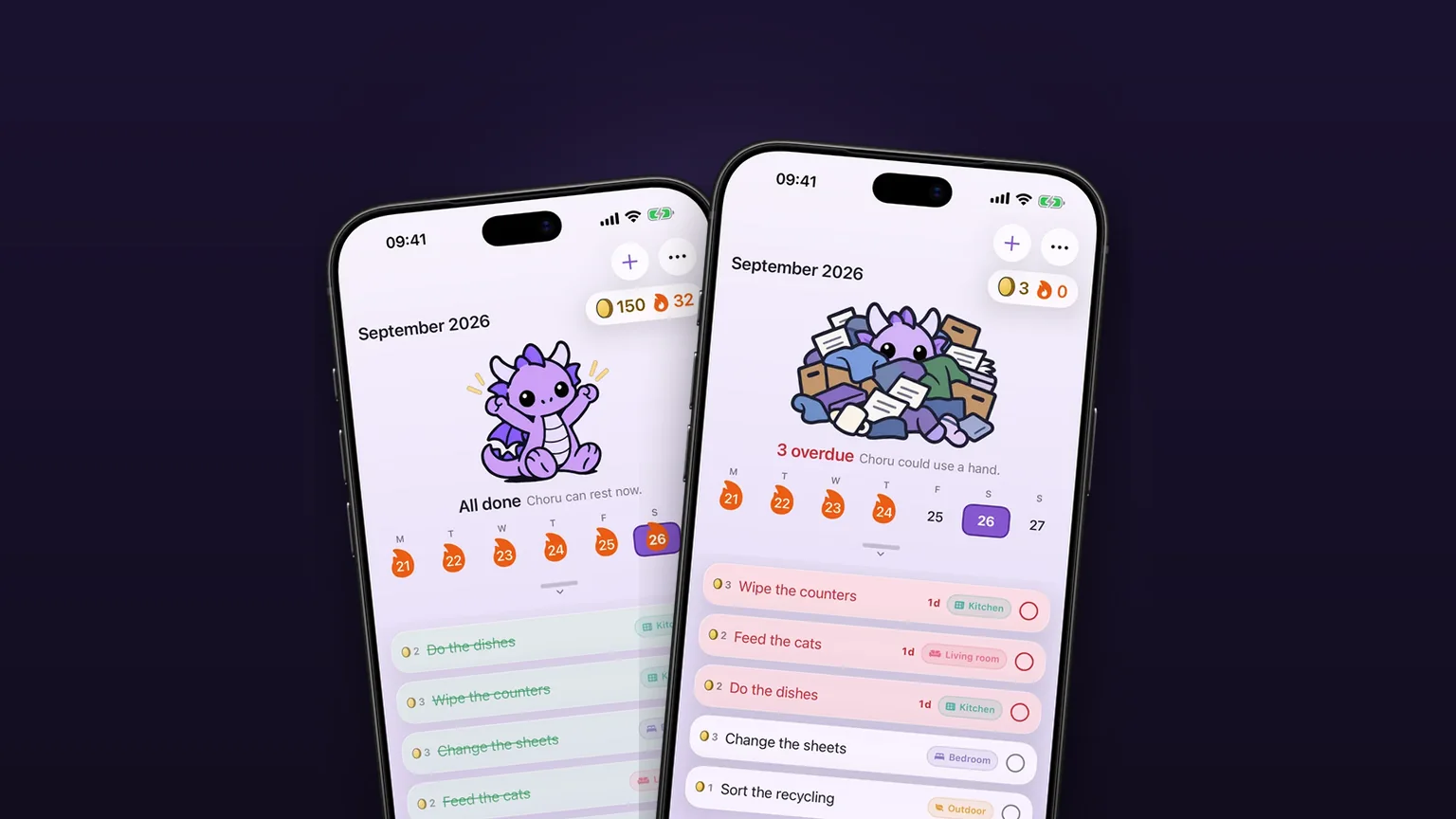
A chore calendar that shows what is due
A week calendar with the day's chores under it, and a month you can pull down to.
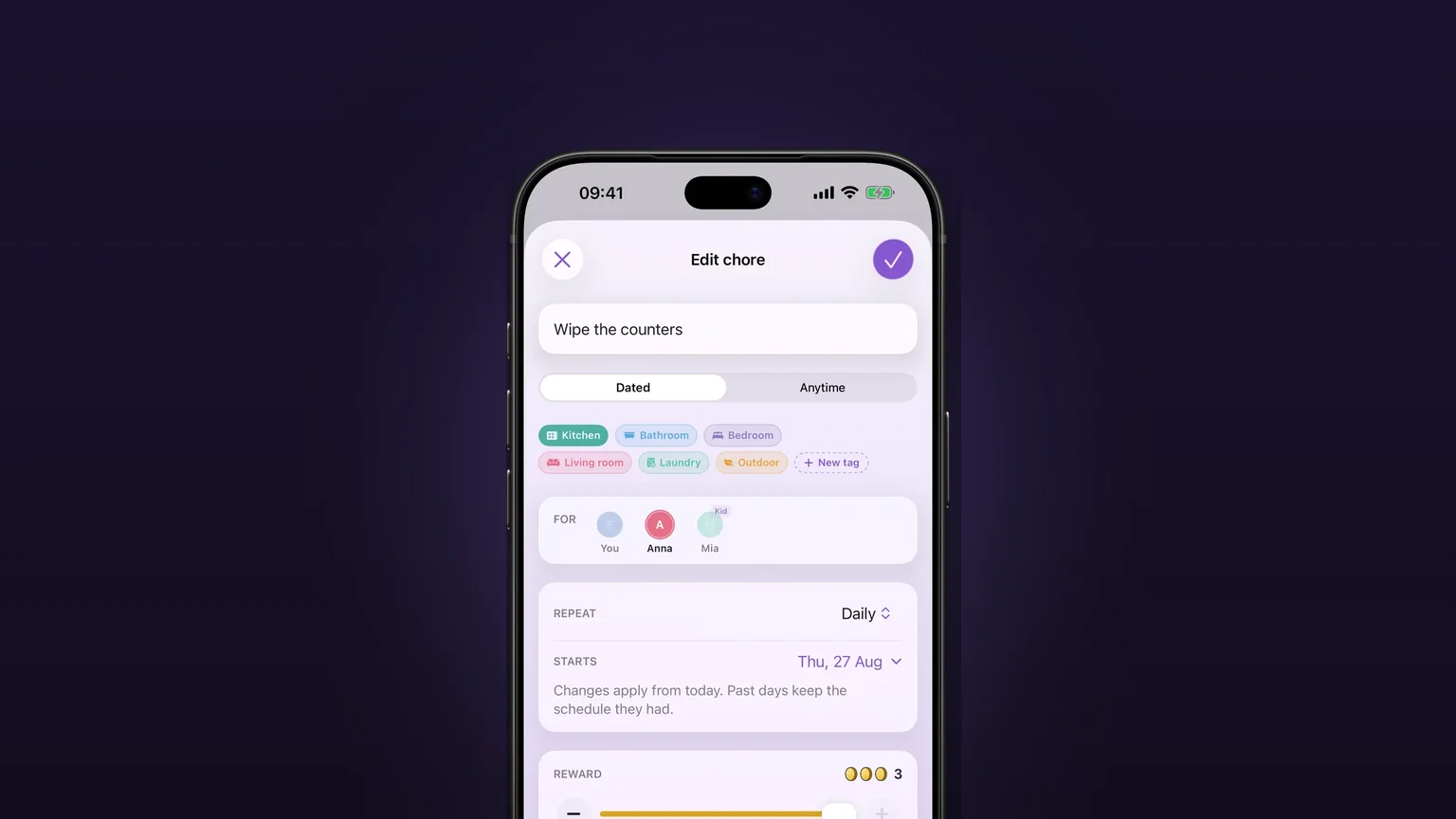
Repeats that fit real chores
Daily, on set weekdays, weekly, monthly, quarterly, or every few days, weeks, months or years, with past days left alone when you change a schedule.